Hosted on your website
The download lives on your domain, next to your pricing and support pages, so the whole purchase journey stays inside your brand.
A desktop VPN client with your name on it, distributed from your own website, signing in against your admin panel and offering the locations your packages allow.
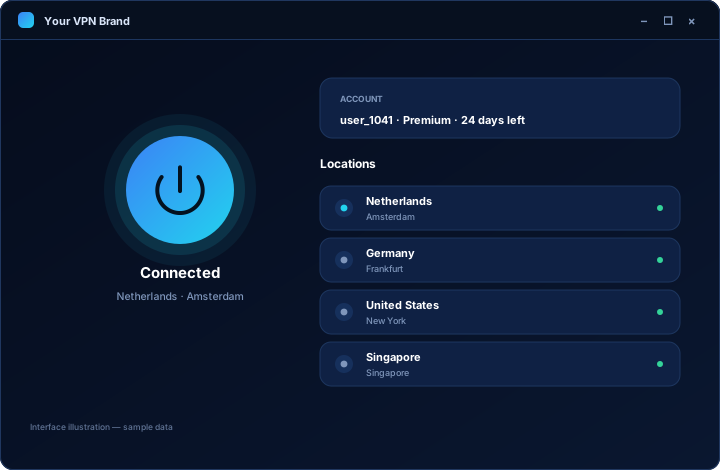
Consumer VPN traffic is mostly mobile, but the customers who pay yearly and rarely cancel are often working on a laptop all day. If you sell to small businesses, remote teams, freelancers or anyone who needs a VPN for work rather than for streaming, a Windows client is not optional.
Windows also has a practical advantage over mobile: there is no store review between you and your customers. You publish the installer on your own website and distribute it immediately. For a business that has been waiting on a mobile store decision, that difference is significant.
The trade-off is that you take on the parts a store would otherwise handle: signing the installer so Windows trusts it, hosting the download, and telling customers when an update is available. None of these are difficult, but they should be planned rather than discovered.
A desktop VPN client should be quick to open, obvious to use and easy to ignore once it is connected. Everything a customer needs sits in one window.
Optional behaviour such as starting with Windows, reconnecting automatically or minimising to the system tray is agreed during scoping so it matches how your customers actually work.
The Windows client is not a separate product with its own logic. It signs in against your admin panel, and the panel decides everything that matters.
The download lives on your domain, next to your pricing and support pages, so the whole purchase journey stays inside your brand.
A code signing certificate in your company name stops Windows warning customers that the software is untrusted. It is the single biggest cause of failed desktop installs.
How customers learn about and install updates is agreed up front, rather than becoming a support problem six months after launch.
They download an installer from your website and run it. Desktop software is not distributed through a store review process the way mobile apps are, which makes Windows the platform you have the most direct control over.
You should have one. Without a signed installer, Windows shows a warning that stops a meaningful share of non-technical customers from completing the installation. The certificate is bought in your company name; we help you use it in the build.
Yes. It signs in against the same admin panel, respects the same subscription expiry and counts against the same device limit as every other platform.
Behaviour such as launching at startup or reconnecting automatically is a scoping decision. Tell us how your customers work and we will confirm what is included in your build before it starts.
Currently supported versions of Windows are the target. Exact version support is confirmed in your scope rather than promised on a marketing page, because it depends on the components your build uses.
Tell us how your customers use their computers and which platforms you already run. We come back with scope, timeline and a written quote.