Name and icon
The name on the home screen and in the store listing is yours, with an icon built from your logo at every size Android asks for.
An Android VPN application built for your business: your name and icon, your colours, sign-in against your own admin panel, and a server list that comes from the locations you publish.
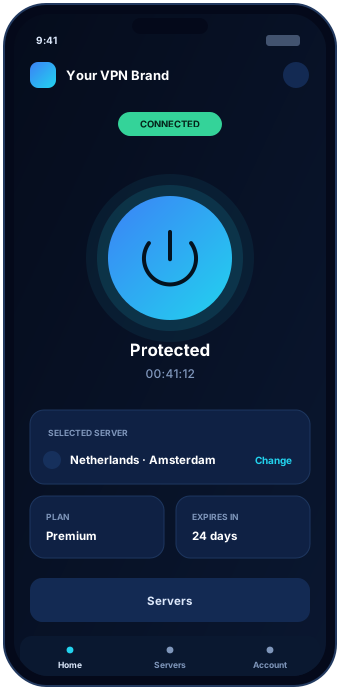
For most VPN businesses, Android is the first platform and the largest one. It reaches the widest audience, the distribution options are the most flexible, and customers on Android are the ones most likely to arrive through a reseller rather than a search result.
This page is written for the business buying the app, not for the person who will eventually install it. If you are launching a branded VPN service, planning to move your reseller customers onto your own product, or adding a VPN to an existing customer base, this is the platform to get right first.
A branded Android VPN app is not a standalone product. It is the customer-facing end of a system: the app asks your admin panel who the customer is, what they have paid for and which servers they may use. Everything the app displays comes from decisions you made in the panel.
Every part of the app a customer can see carries your identity.
The name on the home screen and in the store listing is yours, with an icon built from your logo at every size Android asks for.
Your palette runs through the connect state, the location list, buttons and the account screen, so it reads as one designed product.
Screen text, error messages, support links, privacy policy and terms all point at your company rather than a third party.
A VPN app has a small number of screens and they all have to be obvious. Anything clever here costs you support tickets.
The customer enters the username and password created in your panel — by you, by a reseller or automatically after a payment. If the account is expired or suspended, the app says so plainly instead of failing with a generic error.
One large control that connects and disconnects, a clear connected or disconnected state, the current location, and a session timer. Customers should never have to guess whether they are protected.
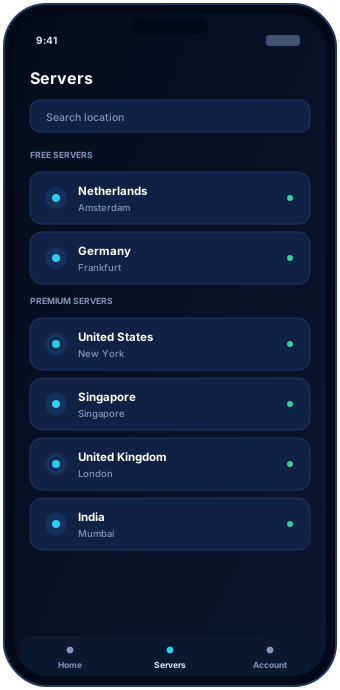
Countries and cities pulled from your panel, grouped the way you sell them. Locations this account’s package cannot reach are either hidden or clearly marked as an upgrade, depending on how you want to sell.
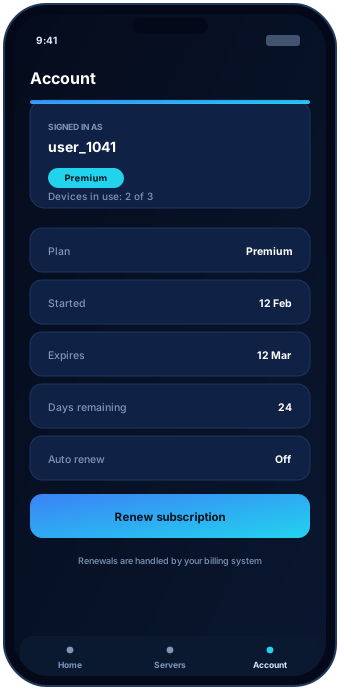
Plan name, start and end date, days remaining and how many devices are in use. This screen removes most of the “how long do I have left?” messages your support channel would otherwise receive.
Nothing important lives inside the app. The customer list, the server list, the packages and the expiry dates all live in your admin panel, and the app asks for them each time it is used.
The practical result: you change your business in the panel, and every installed app follows without an update.
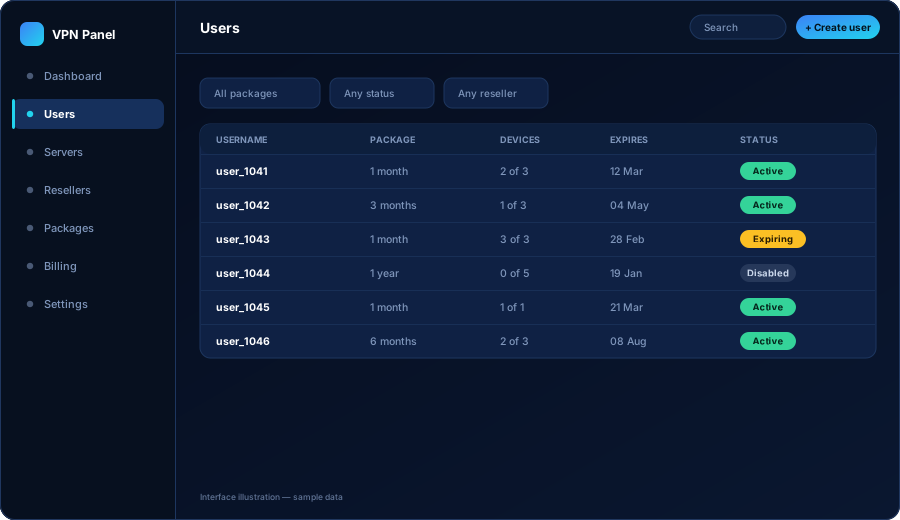
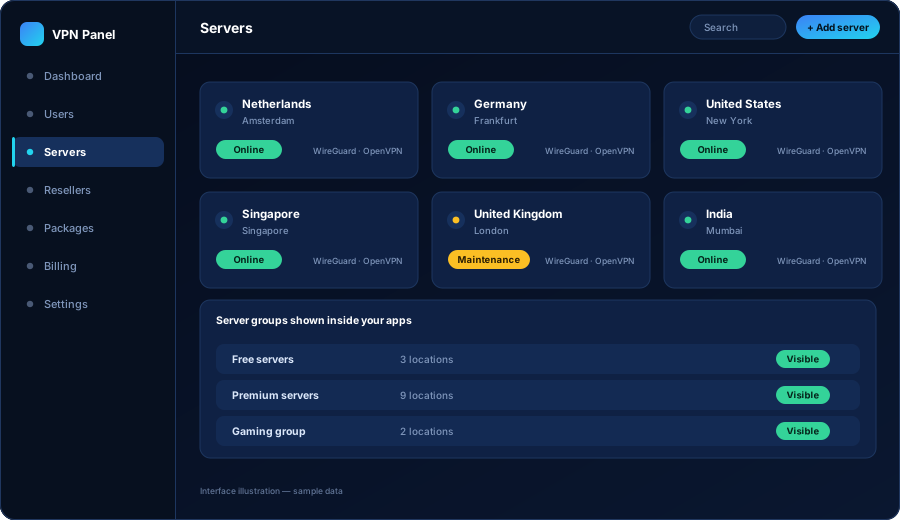
The server list is not compiled into the application. Add a location in the panel, put it in the group your packages point at, and it appears in the app. Take one down for maintenance and it disappears until you bring it back.
VPN applications get more scrutiny than most categories, and the requirements change. Here is how we handle it.
The signed build, the store listing material, the icon and screenshot set, and the declarations and policy pages Play expects from a VPN application.
Approval. Google decides what is published and can change its requirements at any time. Anyone who guarantees you a Play listing is guessing on your behalf.
Publishing under your own developer account keeps the app name, the reviews and the update history with your business rather than with a supplier.
Many VPN businesses also distribute an APK from their own website, particularly for reseller customers. Both routes can be supported.
No. This page is about having an Android VPN app built for your business, published under your brand and connected to your own admin panel. It is a development and platform service, not a subscription for personal use.
Normally yours. That keeps the listing, the reviews, the app name and the update history in your company's control. We prepare the build and the store assets; you own the account they are published from.
We prepare the build and the listing material to meet Play's current requirements for VPN applications, which include specific declarations and policy pages. Google makes the final decision on any submission, so nobody can promise approval — but we prepare the submission properly and help you respond if something is queried.
Yes. The app does not care who created the account — you, your staff, a reseller or your billing system. It signs in against your panel, and the panel decides what that account is allowed to do.
The account stops being able to connect and the app shows the customer that their plan has ended, with the route to renew. It does not silently fail, which is what causes support tickets.
Tell us your brand, whether you also need TV or desktop apps, and how you plan to sell. We come back with scope, timeline and a written quote.