Large, legible layout
Type sizes, spacing and contrast chosen for a screen viewed from two to four metres away rather than from arm's length.
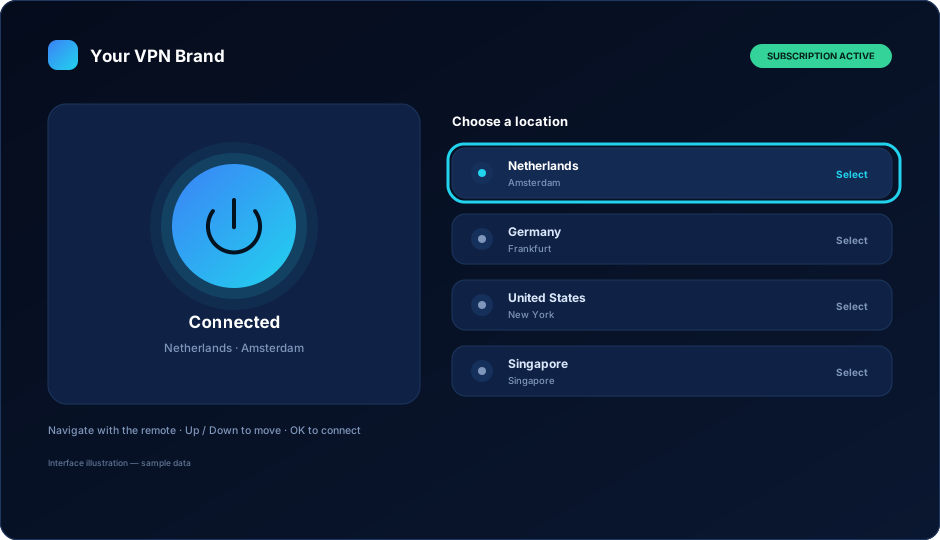
A branded VPN app built for the living room: large focus states, four-direction navigation, a connect button you cannot miss from the sofa, and the same accounts and servers as the rest of your platform.
Android TV boxes and Amazon Firesticks are the second device in a huge number of VPN households, and for some customer segments they are the first device. If your brand has an app on the phone but not on the TV, those customers either go without or go to a competitor who has one.
The mistake is treating the TV as a large phone. On a phone, the customer can tap precisely anywhere and read small text held 30 centimetres from their face. On a TV they have a remote with up, down, left, right and OK, and they are sitting across the room. Anything that requires precision or reading fails immediately.
What that means in practice: fewer items per screen, much larger touch-free targets, an unmistakable focus outline, and the shortest possible path from opening the app to being connected. This is what we build for TV, and it is why it is a separate piece of work from your Android phone app.
Type sizes, spacing and contrast chosen for a screen viewed from two to four metres away rather than from arm's length.
Connect is the largest element on the screen and the item focused when the app opens. Most sessions should be one press of OK.
Locations are grouped and kept short, because scrolling a long list with a remote is the fastest way to lose a customer.
Connected and disconnected look completely different from across the room — colour, wording and the state of the main control all change.
Typing on a TV remote is the worst part of any TV app, so the design keeps it to sign-in only and keeps sign-in as short as possible.
Plan and days remaining are shown without the customer having to hunt through settings with a remote.
Up, down, left, right, OK — plus back. That is the whole input vocabulary, and every screen in the app has to be complete within it. Nothing is reachable only by pointer, and nothing depends on a gesture.
On a phone you can search. On a TV you cannot realistically type, so the location list itself has to do the work. Grouping, ordering and a short list matter far more here than they do anywhere else in your product.
A TV app is the most visible piece of branding you own. It sits on a home screen that the whole household looks at.
TV platforms use a wide banner rather than a square icon. Yours is built from your logo at the sizes each platform requires.
The palette that works on a phone needs checking on a large panel in a dim room. Contrast is adjusted so it holds up.
Screen text, error messages and support details are yours, including the wording shown when a subscription has ended.
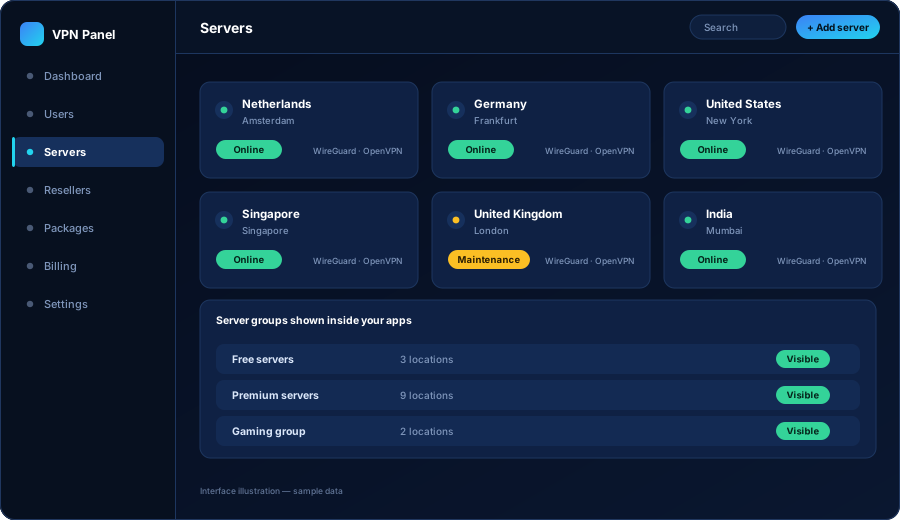
The TV app is not a separate product with a separate customer list. It signs in against the same admin panel as your phone and desktop apps, using the same accounts your team, your resellers or your billing system created.
That matters commercially. A customer on a three-device plan can use their phone, their laptop and their TV box on one subscription — and the device limit is enforced by the panel, so they cannot quietly turn one account into a household of five.
Android TV and Firestick reach customers through different routes, and both are worth planning before the build rather than after.
Published under your own developer account with the TV-specific listing assets and declarations the platform requires for VPN applications.
The Amazon Appstore is a separate submission with its own review, and many VPN businesses also support direct installation for their reseller customers.
Both stores decide independently what they publish and can change their requirements. We prepare submissions properly and help you respond to queries — we do not promise outcomes.
A phone app assumes a finger on a screen. A TV has a remote with four directions and an OK button, and the viewer sits three metres away. Text sizes, focus highlights, list spacing and the number of steps to connect all have to change or the app is unusable in a living room.
They are closely related, which is why they are handled together, but they are distributed differently — Android TV through Google Play, Firestick through the Amazon Appstore or direct installation. The interface work is shared; the packaging and submission differ.
On-screen keyboards on a remote are painful, so sign-in is designed to keep typing to a minimum. Where your build supports it, options such as a short code or a link from another device can reduce it further. We agree the approach during scoping.
Yes. One account, one panel, one device limit. A customer with a three-device plan can use their phone, their laptop and their TV box on the same subscription.
It is a VPN client for your branded service. What your customers do with the connection is between them, their subscriptions and the terms of the services they use. We build the VPN app; we do not build or bundle streaming content.
Tell us whether you need Android TV, Firestick or both, and how your customers will sign in. We come back with scope, timeline and a written quote.